Alyssa Berger
Azure Health Models x PUXD
The Basics
🤝 The Team
A team of 7 UX Design students at varying stages of the program collaborated on a UX research and design project focused on improving the usability and experience of Microsoft Azure’s health visualization tool.
📅 The TimeframeThe project took place from August to December 2025.
🙋 My Role- Project Lead
- Primary and Secondary Research
- User Interviews
- Ideating and Sketching
- Wireframing and Prototyping
Project Overview
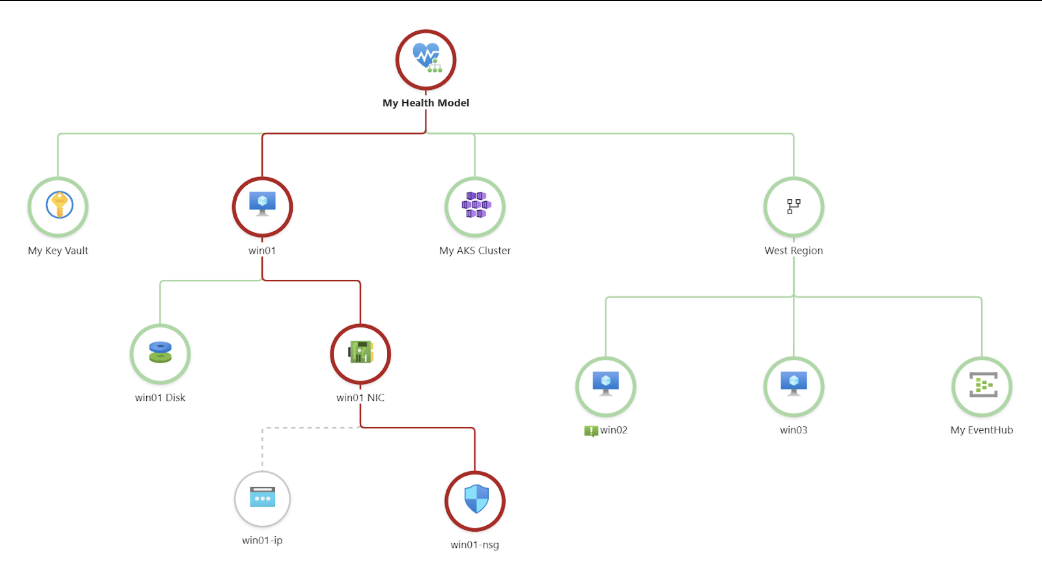
Improving the user experience of Azure Health Models involves reducing friction for new users and streamlining workflows for regular users. Day‑to‑day tasks such as adding entities, configuring signals, and editing elements can often feel fragmented or time‑consuming.
Delivering clearer, business-impact-driven insights across both technical and non-technical roles ensures that information is not only accessible but also actionable. This shift transforms what can otherwise be a complex, tedious process into one that is intuitive, efficient, and trusted.
What are Azure Health Models?
Azure Health Models Stakeholders
🤓 Experienced Users
For users who are already familiar with this type of system or have advanced needs, we prioritized efficiency, control, and depth, allowing users to have in-depth, customized controls along with streamlined workflows.
😧 New Users
For users who are new to the system, we prioritize simplicity, discoverability, and immediate value, ensuring an intuitive “out-of-the-box” experience, with clear, guided onboarding.
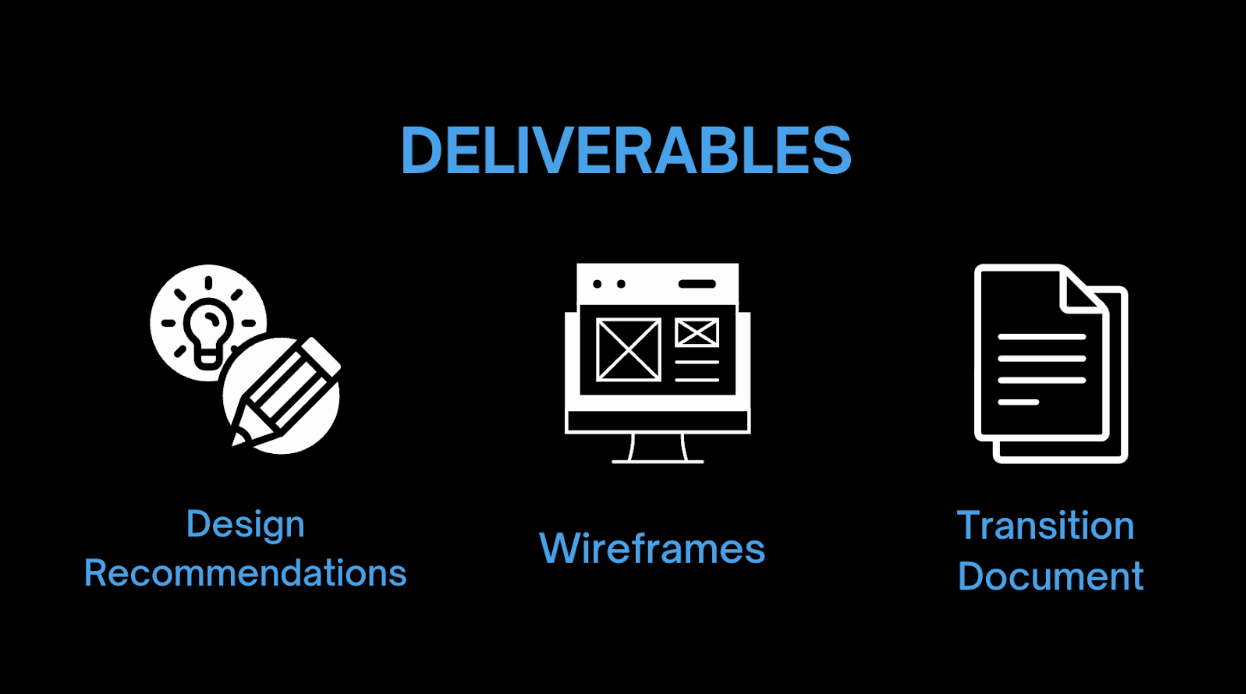
Final Deliverables
What Became Apparent
The Azure Health Models experience changes based on both how the system is configured and how familiar the user is with Azure concepts. This makes a single linear ‘happy path’ unrealistic.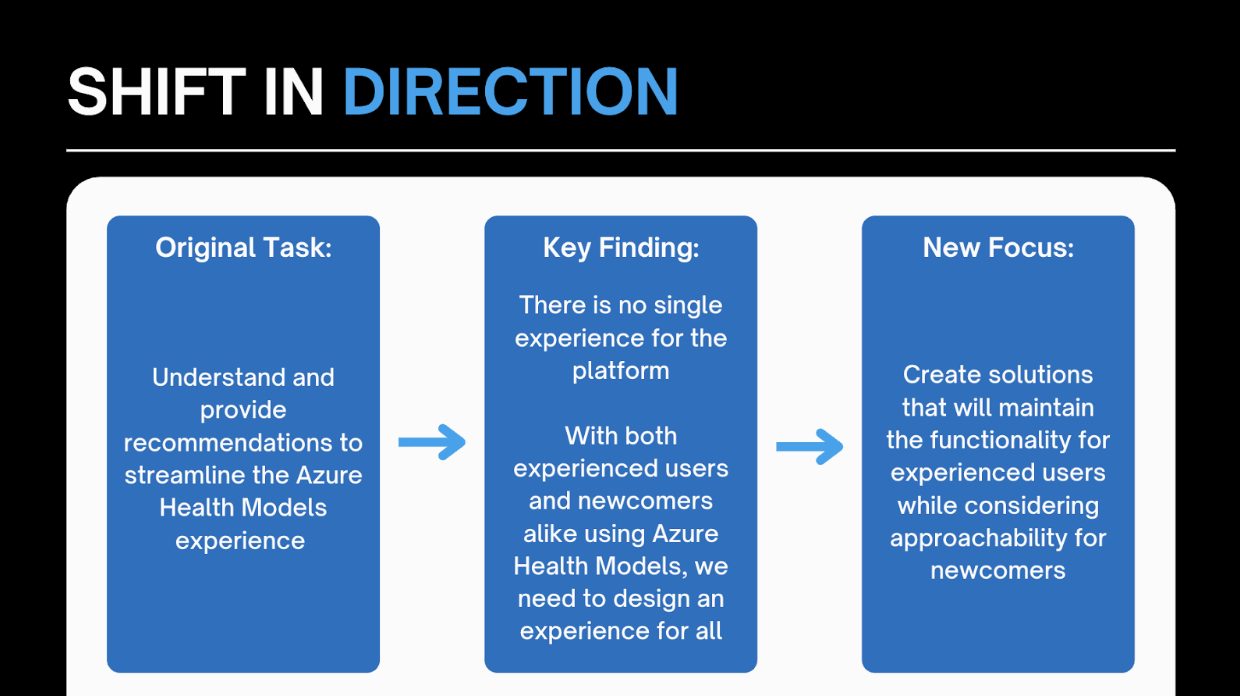
Deciding What to Design
These tasks — and pain points — emerged across interviews, walkthroughs, and sponsor feedback, becoming the basis for prioritization.
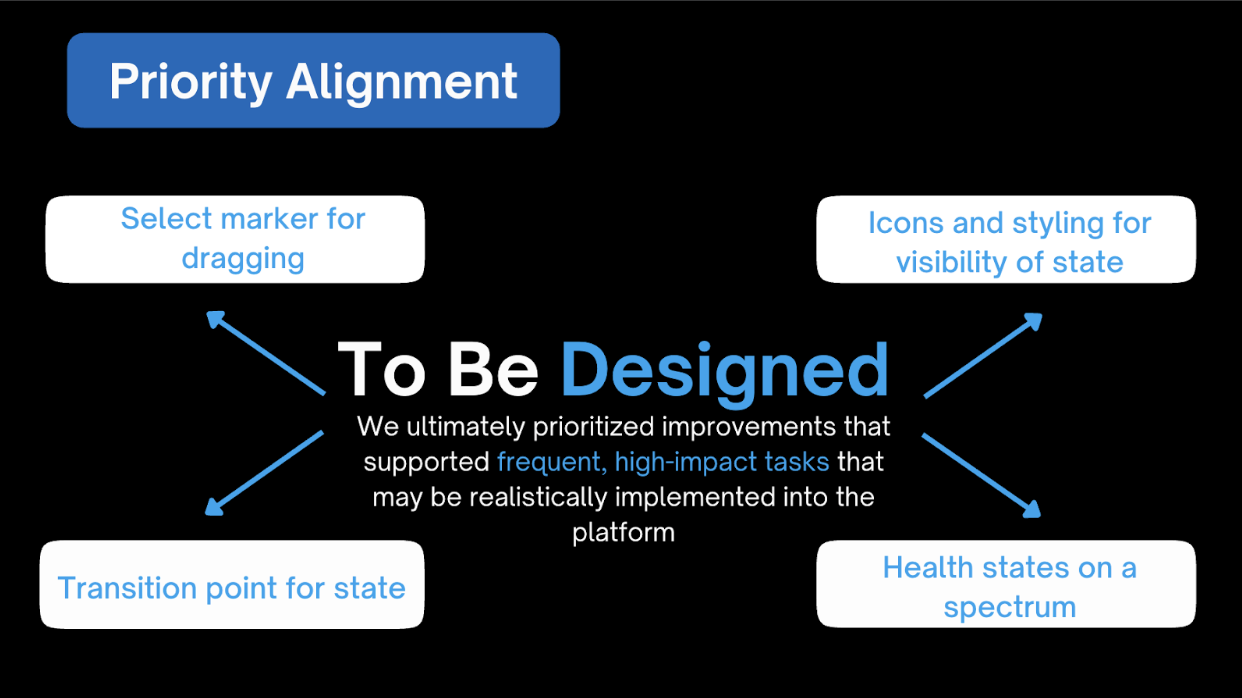
After ranking these issues based on priority and feasibility with our sponsor, we narrowed them down to four to fully address:
Explaining Our Recommendations
While interviews and secondary research enabled us to determine the aspects we should design, prototyping and usability tests allowed us to ensure we were heading in the right direction. To best explain our recommendations, we built a persona to communicate our users’ needs: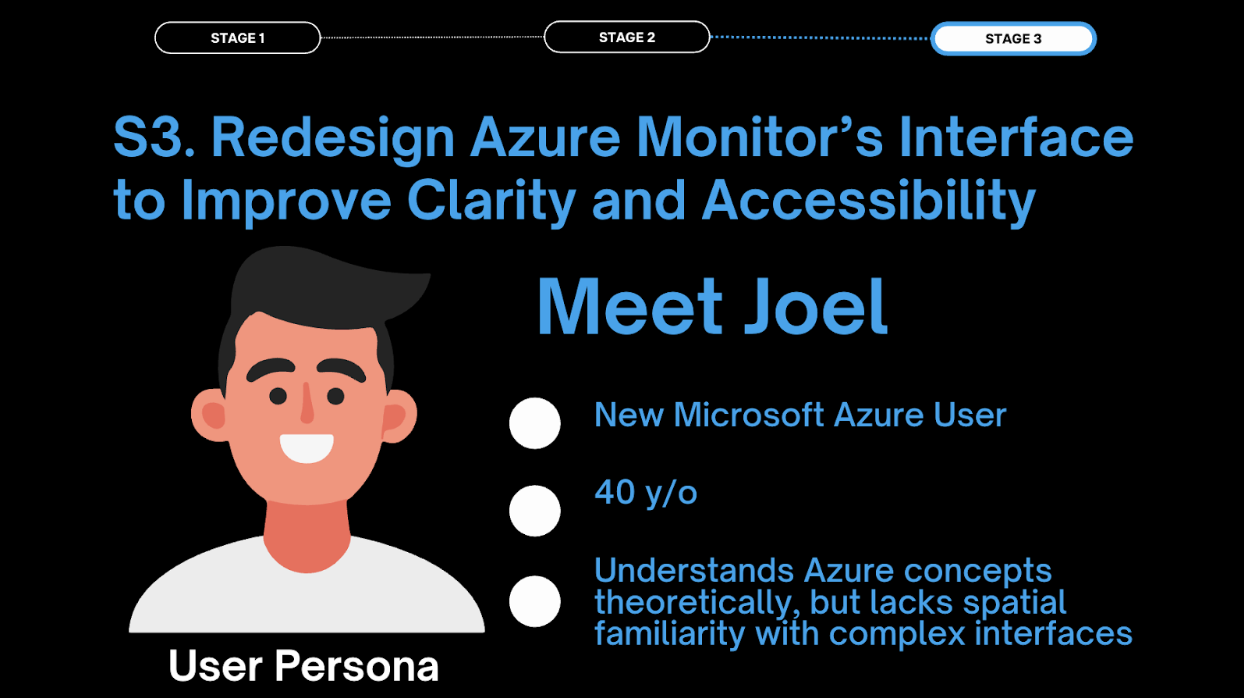
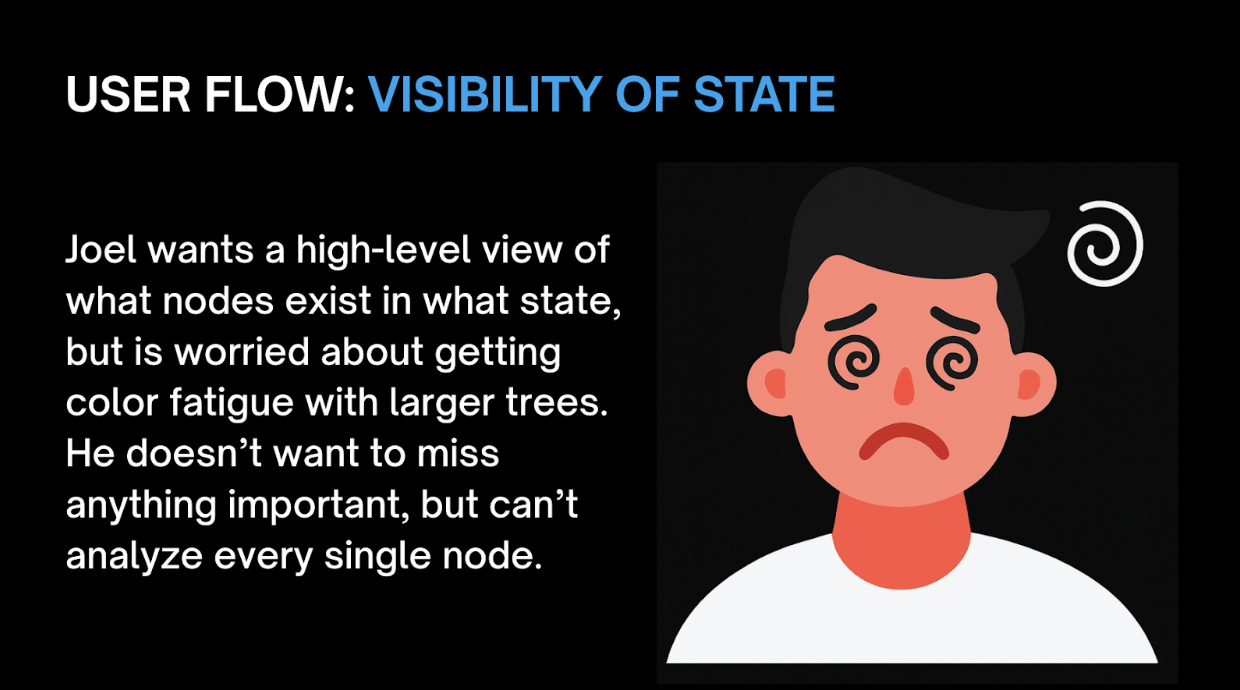
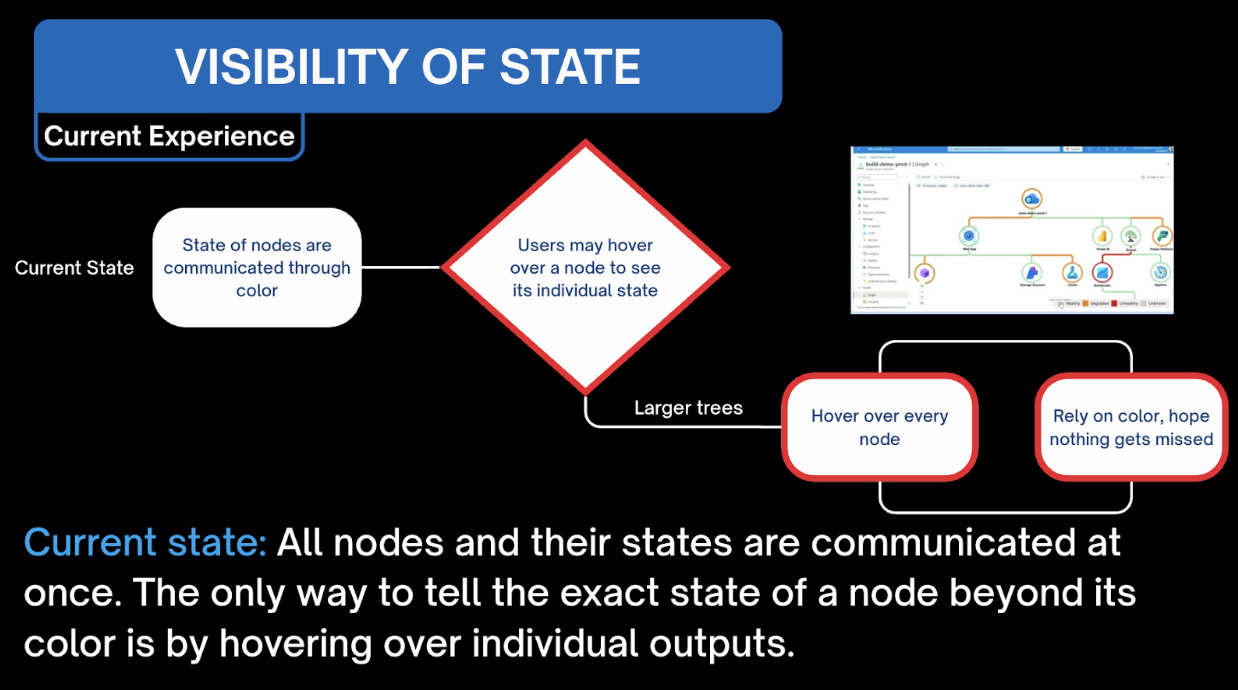
Our prototypes were informed by initial sponsor feedback and insights from our first usability test. While many early features met our expectations, we conducted a second usability test to validate that the design direction was on track.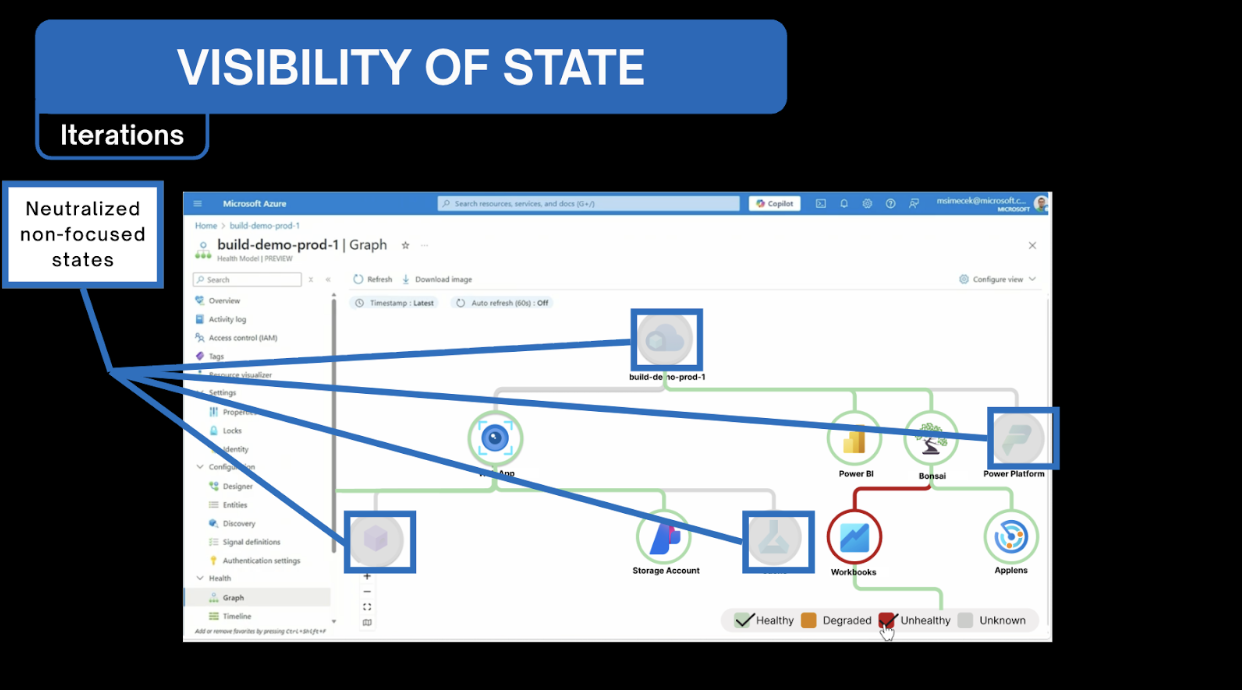
Our second usability test served as the final step before finalizing the designs and delivering them to our sponsors. While the resulting updates were relatively minor, they provided the necessary validation to move forward with confidence.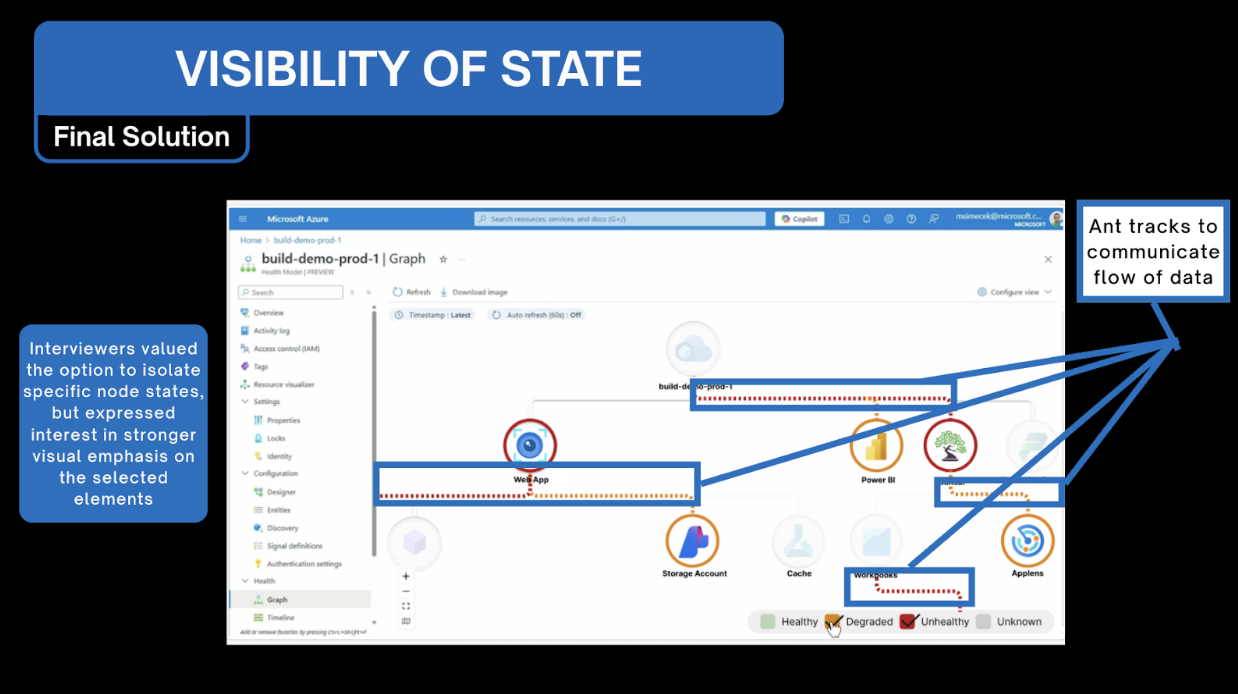
Accessibility was a key consideration throughout our design process, and we ensured alignment with WCAG standards. Although many accessibility requirements are implemented at the code and interaction level, we confirmed that each design component met baseline accessibility criteria.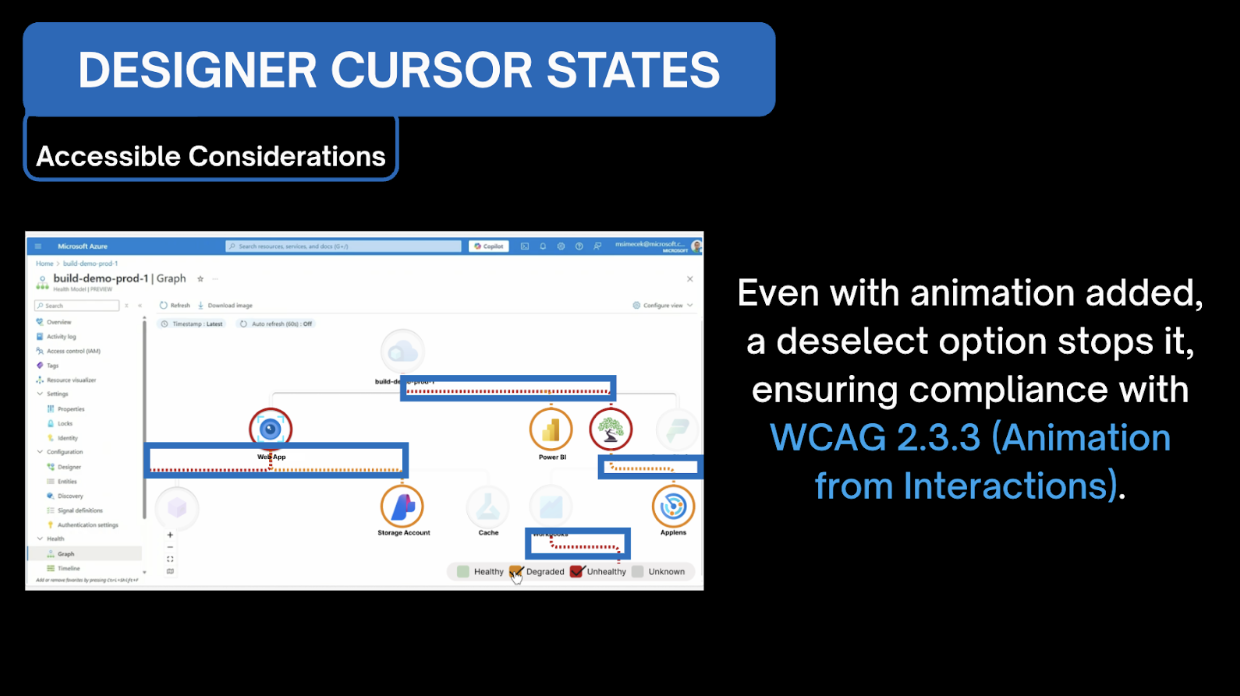
Next Steps
🔬 Feasibility Research
Now that we have a design, there is still the question of whether creating all the platform’s features is realistic for the broader Azure platform.
💥 Test Scalability
Our designs were largely tested in a small-scale environment, while realistically users will be working with much larger models. Our designs should be tested with larger batches of data to ensure scalability.
🧑🤝🧑 Further User Testing
Justify and validate our designs with more users with different backgrounds to fully encapsulate our stakeholder groups.
Overall Limitations
⏰ Time Constraints
Time constraints limited our design scope; with more time, we would have added further recommendations based on additional needs outlined in the priority matrix.
🤷 Limited Understanding of a Complex Platform
Given that the project included complex, technical concepts, diving in without having used Azure before was challenging.
✋ Limitations Within Azure
Considerations had to be made to not only fit the design constraints of Azure as a platform but also to ensure feasibility on the backend.
Self-Reflection
Learning to Pivot: Midway through the semester, our sponsor unexpectedly stepped away from the project, requiring us to adjust course. Although an initial vision had been established, meeting with new sponsors introduced shifting priorities and expectations. In retrospect, this experience strengthened our ability to adapt — both in learning a complex platform and in refining our designs to meet new stakeholder needs without losing sight of the project’s core goals.
Taking the Lead: Although I had takenleadership roles in past projects, this was the first time I carried full responsibility for leading a team throughout the semester. At times, it was intimidating to be the person my teammates turned to during uncertainty. Looking back, I now understand that effective leadership isn’t defined by having all the answers, but by providing the support and reassurance that helps a team move forward together.
Coming Full Circle: Almost two years after my initial Experience Studio, I returned to industry-sponsored work for my final semester at Purdue. There was a sense of continuity in beginning and ending with a Microsoft-sponsored project, even as the sponsors and design challenges evolved. What once felt unfamiliar as a freshman was reframed through my current perspective as a junior UXD student—now leading a project sponsored by the same company that started it all.